Blog navigation

Latest posts

Hacienda retrasa la entrada en vigor de VeriFactu A 2027: nuevo calendario y qué significa para pymes y autónomos

La Agencia Tributaria ha confirmado este 2 de diciembre de 2025 que la entrada en vigor obligatoria de VeriFactu —el...

Read more
Cóntegrar VERIFACTU en PrestaShop: solución rápida y legal para ecommerce

VERIFACTU será obligatorio a partir de 2026 para todas las tiendas online que facturen en España. En esta guía te...

Read more
La Oportunidad que tu Pyme Necesita: ¡Ayudas de hasta el 85% para Crecer en 2025!

Si tienes una pequeña o mediana empresa, ¡este es tu momento! La Cámara de Comercio de Granada ha lanzado el Programa...

Read more
¡Análisis de la evolución del consumidor digital en los últimos 5 años!

Estudio, elaborado a partir del análisis de 16.468 compras realizadas en webs y apps adheridas a confianza online, se...
Read more

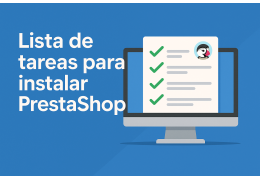
What do I need to do to install a PrestaShop store from scratch (even if I'm not an expert)?

Si estás pensando en montar tu tienda online con PrestaShop y quieres hacerlo tú mismo, ¡es totalmente posible! Pero,...

Read more

What do I need to do to install a PrestaShop store from scratch (even if I'm not an expert)?


If you're thinking about setting up your online store with PrestaShop and want to do it yourself, it's totally possible! But, like any digital project, it requires following a series of technical steps in order to ensure it works properly from day one.

Here's a detailed checklist with explanations so you don't miss anything. And remember: if you get stuck at any point, we at Clearis will be happy to help. 💬

✅ 1. Register your domain and hire a good hosting provider. (This section appears to be incomplete and possibly spam.)

Before you can even touch PrestaShop, you need a place to host your store:

  • Choose a professional domain for your brand (e.g., mitienda.com ).
  • Get a hosting service that is compatible with PrestaShop (supports PHP 7.4+ and MySQL/MariaDB).
  • Make sure it includes free SSL, backups, and expert technical support .

💡 Avoid overly cheap or shared hosting. Speed and stability are key to selling.

✅ 2. Download PrestaShop and upload the files to your hosting

  • Go to prestashop.com and download the latest version.
  • Access your hosting panel (cPanel, Plesk or similar).
  • Upload the ZIP files to the server and extract them to the public_html folder or similar.
  • Create a MySQL database and note the username, password, and name.

✅ 3. Install PrestaShop from your browser

  • Log in to your domain to start the installation wizard.
  • Choose your language, country, and create your administrator account.
  • Enter the database data when prompted.
  • Finish the process and delete the /install folder for security.

✅ 4. Perform the basic configuration

  • Enter the Back Office using the generated link (something like /admin123).
  • Change the back office URL if you can (for security).
  • Configure the general store information: name, logo, currency, time zone, taxes, etc.

✅ 5. Activate maintenance mode while working

  • Go to Store Settings > Maintenance.
  • Activate maintenance mode to prevent visitors from seeing the unfinished store.
  • Add your IP address so that you can see it.

✅ 6. Choose a template or theme for your store (This appears to be a separate, unrelated sentence fragment and has been omitted.)

  • Install a template from Design > Theme and Logo.
  • You can use a free one, buy one from the marketplace, or design one to your specifications.
  • At Clearis we have our own Clearis template, optimized and with unique features that you can use from day one.

✅ 7. Load your first products

  • Create the main categories of your catalog.
  • Upload products with optimized photos, prices, descriptions, and combinations if applicable (sizes, colors, etc.).
  • Configure stock and shipping methods.

✅ 8. Add the essential modules

  • Payment modules: PayPal, Stripe, Redsys...
  • Shipping modules: MBE, GLS, Correos, etc.
  • SEO and performance: Sitemap, PageSpeed, meta tags.
  • GDPR and legal compliance: cookie notice, legal policies, etc.

🎁 At Clearis we advise you on which modules you really need, and we have a premium selection starting from €1 for our registered customers. << See the complete catalog of add-ons for PrestaShop here >> .

✅ 9. Do thorough testing before launching

  • Simulate an entire purchase: add to cart, create account, pay.
  • Verify that automated emails are being delivered correctly.
  • Check that the shipping system correctly calculates the costs by weight and destination.

✅ 10. Launch your store to the world

  • Deactivate maintenance mode.
  • Share your store on social media, Google Business, and other channels.
  • Measure visits, performance and start selling.

💬 Too technical? Stuck on a step?

Don't worry. At Clearis we have over 15 years of experience installing and configuring all types of PrestaShop stores. If you'd like:

✔️ Let us install it for you
✔️ Let's optimize your template
✔️ Or we can create a 100% customized store from scratch

👉 We help you from minute one so you can start selling without mistakes or headaches.

Contact us for a consultation !

prestashop@clearis.es

Email us! Tell us your needs and we'll get in touch with you as soon as possible!

(+34) 958 10 22 56

Call us and schedule an appointment! Customer service is available Monday to Thursday from 8:00 to 18:00 and Friday from 8:00 to 14:00.

 
Posted in: Ecommerce